

















♫ It’s all about the Apps Store and iTunes.
They continue distribution of software media.
iPad (do do do do do)
iPad (do do do do)… ♫
– Lyrics, music and recorded by Parry Gripp.

Gerry Purdy PHD, an expert on wireless technologies, has made a prediction. In the future, you will own three devices:
- a smartphone (to make calls, check on email and messages and do light web browsing);
- a tablet (to do more review of content, more serious web browsing and messaging); and
- a desktop or notebook PC device (to create original content that is read on other devices).
What is driving his prediction? For one, mobile device sales (smartphones, iPads) already exceed those of desktops/laptops. Secondly, mobile web traffic is about to exceed desk-based web use. We are a mobile, connected world and we want applications and devices that enable our lifestyle. Furthermore, iPads represent lawyers taking charge and gaining access to technology that does not involve having to deal with the law firm IT department and all their restrictive policies.
The other factor is the ease of use of the iPad as compared to traditional PC-based technology. The iPad has exceeded everyone’s expectations on these criteria. Apps which traditionally run from free to $9.99 (and in some cases more) place incredible processing power in the hands of users. Games, book readers, word processing, presentation software, business apps – there are literally hundreds of thousands from which to choose. News apps from the NYT, BBC, AP and others place you in the center of the “what’s happening now” world. TweetDeck and Facebook allow you to comment and connect with the Twitterverse about what is happening now. Wi-Fi or cellular data plans connect your iPad to the world. Inexpensive online storage is available via Dropbox, iCloud and others. (more…)
♫I’m searching
When I’m lost and need to find myself
Where this road will lead
no one can tell…♫
– Lyrics and music by Simon Finn and Errol Reid, recorded by China Black.
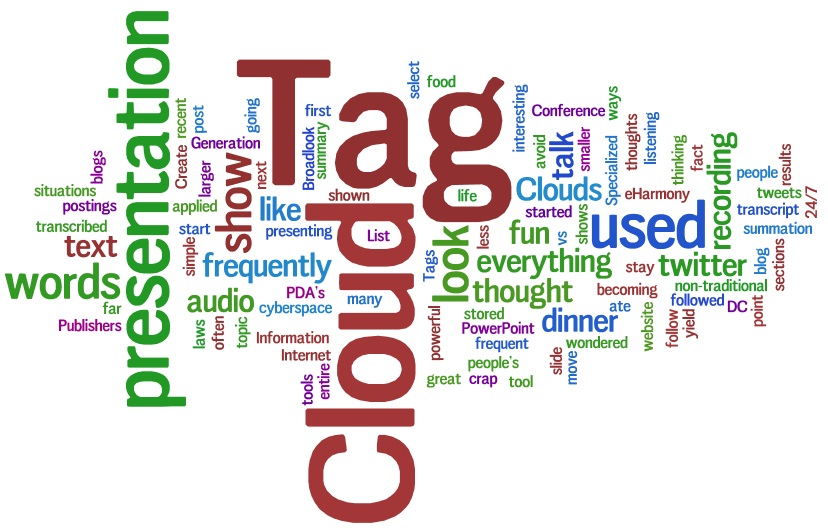
It is hard to imagine but no search engine existed for the web until 1993. Of course, when it comes to doing research on the web, the one search site that everyone knows today is Google. But Google itself didn’t become prominent until 2000. Furthermore, Google is by no means the only or perhaps even the best search engine to use in every context. Compounding the problem, a web page of search hits may not display the research results that you are seeking – simply because so many websites are using SEO (Search Engine Optimization) to try to land their website within the first two pages of results. Accordingly, you need to know what other search engines are out there along with their attributes in order to carry out any real research over the Internet.
These sites vary from searching websites to travel sites to medical information, books and scholarly articles. You can search to see what people are saying or search news services. You can even search sites that will post your question to live people (gasp!) and get back real answers. You can search items for sale, either by suppliers or by individuals. You can search for specialized knowledge (such as science information), or even people.
There are websites such as FactBites [www.factbites.com] which search encyclopedias and Wikipedia to provide you with factual information (not search results based on popularity, which is what Google and Bing do). In terms of real research, this is a great starting point.
There are search engines that don’t just display lists of results but also display a “Tag Cloud” with the size of a word (search term) being larger or smaller by the number of hits relative to that term. You can see the results by “hovering” over the words in the tag cloud. Example: Quintura.
There are sites such as Biography.com that allow you to search 25,000+ biographies by name, keyword and profession. Or search LinkedIn for current information on 100 million people.
You can search for sounds on FindSounds.com and find an amazing variety, from alligators to windshield wipers and zebras.
Quotations and famous speeches can be searched, read and heard.
You can even search out search engines from other countries.
When you are searching and lost and can’t seem to find yourself, there are any number of roads that you can take… who knows where they will lead you.
This article originally appeared in the Canadian Bar Association, British Columbia branch’s publication BarTalk.
♫ Be prepared for indecision
It might make me disappear
But then again, my addiction
To indecision keeps me here…♫
Lyrics and music by: Stephen Duffy and Steven Page, recorded by Stephen Page.

This is another guest post from Beth Flynn of the Ohio State University Leadership Center.
To be a successful leader-manager, you have to be decisive. Probably the most frustrating thing to employees is working for a leader who can’t make a decision. The phrase “don’t be a definite maybe” is well known. The problem is that no one believes he or she is a definite maybe. The term itself is demeaning by what it implies. We all think we make decisions in a prompt or decisive manner, but I wonder if that is true and if it is what our employees think. I found that most leaders could make decisions about things quite easily. It’s making decisions about people that is difficult. In many cases, middle managers can’t make people decisions, or they will vacillate over them. When it becomes apparent to people in the organization that they are working for a definite maybe, they begin to lose confidence in that person’s leadership completely (Monastero, 2010, p. 75).
From: Monastero, S. (2010). Winning at leadership: how to become an effective leader. Bloomington, IN: IUNIVERSE, Inc. Winning at Leadership is available from the OSU Leadership Center. Click here to borrow this resource.
Learn how the Ohio State University Leadership Center is inspiring others to take a leadership role that empowers the world at http://leadershipcenter.osu.edu
To begin receiving Leadership Moments, or to update your information, please click on Join Our Mailing List.
Thanks Beth for another great leadership post on how all of us can move towards being a better leader by leaving our addiction to indecision behind!
♬ Stay frozen or face the truth
Time won’t wait for us to choose…♬
Lyrics, Music and Recorded by Fountain of Tears.

This is the third and final post in the 2013 Tips and Predictions theme. It has been wonderful to read such informative and insightful thoughts from all around the globe on the future of law. Accordingly, here are the last but certainly not the least of these great ideas:

Stephanie Kimbro, MA, JD, is the Director of the North Carolina branch of Burton Law, LLC. Prior to working with Burton Law, Stephanie operated a virtual law office for six years delivering unbundled North Carolina estate planning and small business legal services to clients online. She is the recipient of the 2009 ABA Keane Award for Excellence in eLawyering, was named an ABA Journal Legal Rebel in 2010 and won the Wilmington Parent Magazine Family Favorite Attorney Award six years in a row for her virtual law office. Stephanie has published two books, Virtual Law Practice: How to Deliver Legal Services Online, ABA, October, 2010 and Limited Scope Legal Services: Unbundling and theSelf-Help Client, ABA, March 2012. She is also the co-founder of Virtual Law Office Technology, LLC (VLOTech), which was acquired by Total Attorneys in the fall of 2009.
In addition to practicing law, Stephanie writes about the ethics and technology issues of delivering legal services online and is interested in the use of technology to increase access to justice. She has provided presentations and guest lectured for many state bars, law schools and other organizations interested in legal technology and other law practice management topics.
Kimbro a member of the ABA Standing Committee on the Delivery of Legal Services and serves on the advisory board of the International Legal Technology Standards Organization (ILTSO), the board of the Legal Services National Technology Assistance Project (NTAP), and is a member of the ABA eLawyering Task Force, Chair of the ABA LPM’s Ethics and Professional Responsibility Task Force, a member of the North Carolina Bar Association (NCBA) Law Practice Management (LPM) Council, and the NCBA Tech Advisory Committee.
Stephanie has graciously provided us with a very insightful look into how technology is going to change the way that legal services are delivered, marketed and structured. Here are her thoughts:
- We will continue to see the number of legal technology start-ups being introduced to the consumer legal marketplace. These companies are going to focus their efforts on consumers, but will also attempt to cultivate strong attorney networks that will provide their services with the value add of licensed legal assistance. Existing legal tech startups may be acquired by larger legal service companies or fail to obtain the funding necessary to scale to the next level. Of the technologies introduced in these platforms we will see two interesting developments that will be a little different than the typical Q&A or forum platforms typically offered to consumers. These companies are adding better matching systems using algorithms, consumer preferences, and online behavior to match the legal needs of the individual with the appropriate legal guidance/forms and potentially with the best lawyer to handle their particular legal need. We will also see the expert systems in some of these platforms increase in sophistication as they learn and improve from user feedback.
- The focus of these companies’ services will start to shift more from business law and startup legal services to more personal legal services for the average consumer. We may see companies negotiating with other non-legal social media and networking applications for access to user data which may be used to help predict or identify consumer’s legal needs as a way to target advertising for their platforms.
- Lawyers will become more aware of the need for online marketing that extends beyond the use of social media and focuses more on brand building online using analytical tools that focus on ROI rather than just online reach. As part of this, more lawyers, especially solos and small firms, will consider joining forces with one or more of these legal startups. Navigating those networks and figuring out how to convert any leads generated from them into paying clients will be a learning process for both the lawyers and the companies looking to maintain and develop strong relationships with lawyers. As a result of the increased engagement by lawyers with consumers through these networks, there may be increased scrutiny of the potential ethical issues that might arise from these online interactions.
- From the consumer perspective, we will continue to see the public turning to the Internet to look for personal legal services. The law suit between Legal Zoom and Rocket Lawyer may provide us with some interesting information about quality, quantity, and process of massive online delivery as well as some fun conversation over the next year. More of the public will be aware of virtual law firms as an alternative online option, but the majority will still turn to the larger online brands of Legal Zoom and Rocket Lawyer when those can be used instead. Accordingly, lawyers with virtual law offices will learn to efficiently automate and sell basic legal documents and focus their energy on marketing their online brand and their bespoke work or niche practices to differentiate themselves online from other virtual practices and the services of the online legal service companies.
- Even clients of larger law firms by this point have realized that their firms cannot justify the traditional high billable hour and will pressure them to use more cost-effective methods of delivery which will include an emphasis on outsourcing and the use of online management and collaborative systems. More sophisticated clients will also be questioning their firm about the use of expert systems that help not only save on costs, but that can predict potential outcomes (and therefore the effectiveness of different strategies) for the client’s matter and whether the firm employs such systems. Quantitative legal prediction as a resource for basic consumer needs or for use by solos or small firms will not be widely available in the next couple of years. However, larger law firms with sophisticated clients who can afford to invest in the technology may start the process of cumulating data that will build systems to predict legal outcomes and assist in decision making.
- I think only a small number of law firms will still be forward thinking enough to offer forms of online dispute resolution in their practice areas. As complementary to their traditional services, rather than ODR, some firms may integrate the use of simpler online negotiation and settlement tools, such as the use of the app PictureItSettled, or online game-theoretic bargaining systems, such as those created by FairOutcomes.
- I also predict that a slow moving and quiet revolution will start this year in the legal services community as the Legal Services Corporation (LSC) and state legal aids go through a major shift in thinking about how online and mobile delivery can increase access to justice. (The LSC is holding a second technology summit this January.) The collaboration with legal service companies, private practitioners, and law schools will result in a less fragmented picture of access in our country and push all of these parties out of their bubbles and into reevaluation of how working relationships between themselves and existing resources can be used to increase pro bono and self-help assistance. Limited scope representation handled pro bono or even low bono will become a standard introduced and accepted by most state legal aid organizations as they realize that this will encourage the increased volunteer activity of private practitioners and the donation of technology and resources from legal service companies. Years from now, this revolution and the increase in access from the innovative collaborations that result will provide empirical, results-based proof that we can use to argue for less restrictive rules on non-lawyer ownership of law firms and the removal of lawyer advertising rules that restrict innovations in delivery methods.

Nate Russell hails from private practice where he was a civil litigator and family lawyer. Before his legal career he worked in media, including TV and internet. Currently Nate is a legal community liaison at Courthouse Libraries BC, where he brings his legal experience and his interest in emerging information technologies to bear on improving the programs and resources Courthouse Libraries BC offers lawyers in British Columbia.
Nate’s objective is to help fellow lawyers, especially those in small firms and solo practice, get the best out of our branches and improve their research and practice management skills, so they can best serve the public.
With Nate’s background, it is not surprising that his predictions lie in the area of continuing legal education and professional development:
- I would like to predict, though it may be more to hope, that the same good sense that gave rise to the elimination for 2012 of the “audience test” for CPD accredited activities like teaching and writing will continue forward.
- For 2013, someone will propose (and it will not be strenuously or convincingly argued against) that CPD-accredited writing ought to expand beyond the rigid confines of “law books or articles intended for publication”, to include practice-oriented blogs, and writing for PLEI websites that may or may not result in ink-on-paper-bound-in-cardboard. Other criteria could replace an “intention” to publish, for example criteria that a law-related web article or blog post of a minimum length must appear on a site controlled by an established provider of public legal education and information and/or information for the legal community (i.e. LSS, Justice Education Society, People’s Law School, Courthouse Libraries BC or Clicklaw).
- The elimination of the “audience test” has raised the ladder to let CPD out of the ivory tower, but its presence has yet to be felt fully in the streets.
- That there is a tremendous service-mindedness among the Bar. That is beyond doubt. In a CLE-TV presentation this summer Access Pro Bono shared the statistics that in 2011 alone 600 lawyers donated over 7,000 of volunteer hours. The energy is there, and I predict that with a little enablement (by the Law Society and non-profit legal information institutions in this province), a vast and comprehensive body of online commentary could be produced sooner than we may think. Let’s check back in December 2013!

Thomas Spraggs holds a Bachelor of Laws and Master of Laws degrees. He articled at a personal injury firm in Alberta and continued as an associate at that firm before returning to Coquitlam, BC to lead Spraggs & Co. Thomas has applied innovative approaches to practice management and an progressive approach to technology to lead Spraggs & Co to become a highly respected award-winning firm. Tom is currently undertaking an MBA at the same time as leading his busy firm.
Tom is also a former competitive swimmer which would help explain how he manages to carry on his extensive trial practice. Thomas is a member of the law societies of British Columbia, Yukon and Alberta. He’s a member of the Trial Lawyers Association of BC and the American Association for Justice.
Tom states that after much thought here are his 2013 predictions in regards to technology and the practice of law:
- 2013 will be less dynamic from a technology change perspective than in previous years. Management accountants in larger firms will be challenged as to what is traditionally perceived as ‘needed technology vs. desired technology.’ Individually, lawyers will probably ignore the boring technology at the office and opt for cool and innovative products that access data from the cloud. Clients also expect instant access to relevant information from their lawyers outside of the office which bootstraps the cloud based computing model further. The new and highly anticipated Windows 8 tablets, in addition to the ever amazing iPad, will become a catalyst for significant increases in tablet workplace computing as productivity increases. These productivity increases are both perceived and measurable, this will likely result in the conclusion that these tools are highly effective, especially for collaboration. The management accountants realize that ‘needed technology’ which is usually a desktop networked over a LAN is an assumption that is worth challenging.
- The cloud will continue to evolve as people realize that licensing software on a subscription basis is good value. Renting software that is constantly updated as it is used/needed is far more economical than the old business models. 2013 will also be the year that voice recognition is everywhere and so will awkward misspellings in emails as a result. Forgiveness of such computer generated typos…, I don’t know.
- Mobile computing is also allowing lawyers to work in more places away from the office, which is facilitating better work/ life integration (not really balance though) and a mini hiring boom for experienced and skillful female lawyers who recognize opportunities for working with progressive firms as a result of these technologies increases. All in all, the future is mobile cloud based computing which is now trending to normalcy. Lawyers are keeping in step.

As the writer of this blog, this is my chance to chime into the discussion. A little about myself. I am David J. Bilinsky, the Practice Management Advisor/Consultant and lawyer for the Law Society of British Columbia. I was recently named a Fellow of the National Center for Technology and Dispute Resolution (NCTDR) at the University of Massachusetts. I am also a Fellow and past Trustee of the College of Law Practice Management and past Editor-in-Chief of ABA’s Law Practice Magazine.
I am an adjunct professor at Simon Fraser University teaching a totally online, graduate level course in the Masters of Arts in Applied Legal Studies program. This MA program received the 2011 Award of Excellence from the Canadian Association for University Continuing Education. I have also designed and will be teaching a course on legal technology for the University of Toronto Law School in 2012-13 as well as a course for the law school at the College of William and Mary in Williamsburg Virginia.
My mission in life is to empower lawyers to anticipate the changes, realize the opportunities, face the challenges and embrace the expanding possibilities of the application of practice management concepts to the practice of law in innovative ways that provide service excellence.
I am fortunate to be the founder and Chair of the Pacific Legal Technology Conference (next conference October 2013!) and a past Co-Chair of the American Bar Association’s TECHSHOW. I have a background in Mathematics and Computer Science (BSc) as well as a law degree from the University of Manitoba and an MBA from UBC.
Last year I did a Top 10 list of predictions (the success or lack there of to be determined by you the humble reader at the end of this post!).
Following that tradition, here is my Top 10 List of Predictions for 2013:
#10 Law Schools will embrace distance education as a way to expand their market and to bring in sessional lecturers that ordinarily would be cost-prohibitive:
These new lecturers will expand the traditional curriculum to offer much more practical legal training to allow newly graduates to launch into practice to overcome the difficulty in securing articling and associate positions in traditional firms.
#9 Education in Law Schools will incorporate greater MBA-related training:
This follows prediction #10 in expanding the range of courses offered by law schools to law students to better prepare them for a career of law practice by grounding them in business concepts and entrepreneurial outlooks. Related to this will be the explicit recognition by legal regulators that knowledge of legal practice concepts (management, technology, marketing and finance) is as integral to the practice of law as is knowledge of ‘black letter law’. This was affirmed in part by the ABA in August 2012 recognizing that knowledge of technology is a facet of competent representation and revised their model rules accordingly.
#8 Non-lawyers involved in the delivery of legal services:
Ontario and BC are currently expanding the ability of paralegals to render legal services. I believe this will be matched in other Canadian and American jurisdictions. I believe other near-legal professions will call for greater powers to render legal-type services in order to match the increasing need for affordable access-to-justice (such as Notary Publics in BC).
#7 Lawyers as Leaders:
The profession will call for greater emphasis for lawyers to assume leadership roles in many facets of society in order to create new opportunities for law graduates and lawyers and to expand the influence that lawyers have on society (and to prevent the fleeing of lawyers from the profession).
#6 Effect on Judiciary / Court services:
Courts have been among the last institutions to be affected by the reforms created by the Internet. Either courts will restructure and incorporate the potential cost/benefit advantages offered by Online Dispute Resolution or Alternative Dispute Resolution – or – new tribunals will be established to take certain types of cases away from the courts and place them in new tribunals that will incorporate ODR reforms.
#5 Access to Justice:
Legal service organizations (“Legal Aid”) will be looking for ways to increase access to justice via reforms as their budgets become increasingly squeezed and the calls for them to service more clients increase. I would look for Legal Aid to move beyond ‘bespoke’ legal services and more of a commodity-based delivery structure.
#4 Globalization Effects will continue to be felt:
Large law firms in Canada will be chomping at the bit to join in the globalization movement that is happening across the world. This will place new pressures on legal regulators in Canada to loosen how lawyers are regulated in Canada to match reforms in other parts of the world.
#3 Alternative Business Structures:
In order to get around the rigidity of the Multi-disciplinary Partnership concept, there will be an increasingly-louder call for lawyers to be able to enter into looser business structures that do not call for complete lawyer control of the business entity. This will be due to the reforms happening in other parts of the world lapping on our shores.
#2 Greater Uniformity across Jurisdictions:
Canadian law societies will be adopting a common model code (for example, The new Code of Professional Conduct for British Columbia which comes into effect on Jan 1, 2013 and which is based on the Federation of Law Societies’ Model Code of Professional Conduct). Globalization efforts will call for increasing uniformity across jurisdictions for laws and regulations in order to allow for ease of commerce.
#1 Technology will continue to reform Law and Legal Practice:
The relentless march of Moore’s Law and the breathtaking application of technology to all types of problems will mean that those who deliver legal services will continue to be under pressure. Not only must lawyers understand technology (see the ABA reforms in #2 above) but consumers of legal services understand technology – and will be waiting for lawyers to latch onto the advantages that are offered and reform how they render legal services as a result. If lawyers do not – then there are any number of organizations (see LegalZoom supra in #2 below from 2012) that are only too willing to try to apply technology to the practice of law. This will result in such aspects as the unbundled practice of law, the continued emergence of the e-lawyering movement and the continued growth of Online Dispute Resolution. While the “technological singularity” may yet be in the future, there is no denying that technology is the most disruptive force working on the legal profession at this time.
Now:
One thing about being a crystal-ball gazer, you should look back and check your accuracy! Accordingly, I wanted to look at Last Year’s Predictions to see what progress (if any!) was made along my (predicted) lines:
#10: Mobile/Tablets will Invade the Enterprise:
Accordingly to the 2012 LTRC (the Legal Technology Resource Center of the American Bar Association) Survey on the use of Legal Technology by lawyers, 33% of lawyers use a tablet computer (and of those, 91% are iPads).
#9: Regulators will Start Putting some Governing Principles around The Cloud:
The Law Society of British Columbia in 2012 released its Cloud Computing Working Group Report and will be shortly releasing their Cloud Computing Checklist for use by lawyers and law firms considering going to the cloud.
#8: Web-based Collaboration with Clients will Emerge as Clients Reject Email as too Insecure:
Well I was a bit overly optimistic here. Again the 2012 LTRC survey found that secure portal use was up to 25% from 20%. A modest increase but by no means a home run. What was interesting is that solo/small firm adoption of secure portals accounted for most of this increase as their use of this technology grew from 1% to 11%
#7: Social Media Impacts will continue to be Felt in Litigation, Employment and Family Law in Particular.
Social media evidence is growing and shows no signs of abating. Social media evidence has become a lightening rod of sorts; in some jurisdictions, steps are being taken to limit a prospective employer’s ability to gain access to a potential employee’s private social media pages.
#6: Security and Privacy will Emerge as a Concern for Clients of Law Firms.
I think the fact that encryption use by law firms has grown from 23% to 33% of reporting firms according to the 2012 LTRC study shows that law firms and their clients are increasingly concerned about the security of their communications.
#5: Law Schools will Have to Prepare Students to actually Practice Law.
According to an August 4, 2012 article in the ABA Journal:
“Law schools have dramatically increased all aspects of skills instruction–including clinical, simulation and externships–in the wake of a 2004 change in law school accreditation standards requiring that students receive “substantial instruction” in skills generally regarded as necessary for effective and responsible participation in the legal profession, according to the survey, conducted by the curriculum committee of the ABA Section of Legal Education and Admissions to the Bar.”
If American law schools are changing then it won’t be long before Canadian law schools follow suit.
#4: Self-Regulation of Lawyers will come under Increasing Scrutiny, not for Ethical Reasons but for Economic Ones.
An article published in the 80 Fordham Law Review 2761 (2011-2012) entitled “Comparative Perspectives on Lawyer Regulation: An Agenda for Reform in the United States and Canada” by Deborah L. Rhode and Alice Woolley identifies the problems in American and Canadian legal regulation and proposes reform strategies based on initiatives being taken in Australia, England and Wales.
#3: Innovations being tried in the UK and elsewhere will be felt in North America. Lexpert reported on June 29, 2012 as follows:
[P]artners at London-based Herbert Smith LLP and the Australian firm Freehills agreed to a merger that creates Herbert Smith Freehills, the eighth-largest firm in the world, with 2,800 lawyers.
The global behemoth will be led by joint CEOs and managing partners David Willis and Gavin Bell, who in their press release alluded to the growing importance of global firms, and the advantages of international structures.
“This merger,” said Willis “will therefore put us in a strong position to provide clients with the single global offering they increasingly demand.”
“The merger,” said Bell, “will give Herbert Smith Freehills the platform to become the leading global law firm across Asia Pacific, a region likely to see continued substantial growth and to become an increasingly important part of the global legal services market.
The full-equity continues to exploit reforms in the UK and Australia that allow firms to create alternative business structures (ABSs), raise equity internationally from non-lawyers and (in Australia, at least) list shares for public trading — advancements toward legal corporatization that are prohibited in Canada and the US.


#2: LegalZoom and other Online Providers will emerge as a Major Competitive Threat to Main-Street Lawyers
LegalZoom.ca is now here. How much of a threat is it at the current time? Regarding the parent company, LegalZoom.com, according to Techcrunch.com in an article dated May 11, 2012:
LegalZoom offers documents and subscription services to make it easier for individuals and businesses to accomplish basic legal tasks. As evidence of the company’s traction and impact, the S-1 says LegalZoom has served about 2 million customers in the past 10 years. It also says that in 2011, those customers placed 490,000 orders on the site, and during that period, more than 20 percent of limited liability companies formed in California did so through LegalZoom.
The company’s revenue has been growing steadily, if not dramatically, in the past couple of years — it was $156 million in 2011, up from $121 million in 2010 and $103 million in 2009. LegalZoom also became profitable for the first time last year, with $12.1 million in net income.
So it appears that as far as being a major competitive threat in Canada, that is not (yet) true. But I am hedging my bets on this one.
#1: ODR and other Alternative Dispute Resolution Methods will be Embraced by Cash-Strapped Governments
The Ministry of Justice in British Columbia announced the Civil Resolution Tribunal Act that subsequently received Royal Assent on May 31, 2012.
According to the news release from the BC Government:
[T]he Civil Resolution Tribunal Act will create an independent tribunal offering 24/7 online dispute resolution tools to families and small business owners as a speedy and cost-effective alternative to going to court. The tribunal would address disputes by providing parties with information that may prevent disputes from growing and resolve disputes by consent or, where necessary, by an independent tribunal hearing. Resolving a dispute through the tribunal is expected to take about 60 days, compared to 12 to 18 months for small claims court.
Giving families alternatives to seeking solutions in court is among the B.C. government’s justice reform initiatives to achieve efficiencies and deal with growing resource pressures. The February 2012 Green Paper, Modernizing British Columbia’s Justice System, identified tribunals as a simple and less expensive solution to easing delays in the court system.
So there you have it…the tips and predictions for 2013 from thought leaders all over the globe. There is one certainty – as lawyers either we stay frozen or face the truth – Time won’t wait for us to choose.
♫ And then just as sure as one and one is two
I know I’ll take care of you
I’ll take care of you
I’ll take care of you
I’ll take care of you…♫
Music and lyrics by Brook Benton and originally recorded by Bobby Bland.

This is a guest post from my good friends Sharon Nelson and John Simek, from Sharon’s Blog Ride the Lightning. Sharon and John are life partners as well as business partners in Sensei Enterprises, Inc., a computer forensics and legal technology firm in Fairfax, Virginia. As such their blog post on taking care of your digital assets following your passing struck a nerve with me. In my view it is typical of Sharon and John’s careful and considerate way of approaching life..and death. So without any further introduction, here is their advice:
For those of you who have wills, it is my guess that virtually none of them reference digital assets. Until recently, lawyers weren’t thinking about digital assets.
Our friend, attorney Deb Matthews, told us a horror story about a client whose husband had passed away without leaving behind his ID and password for their bank account. The bank would not grant his wife access and she had a devil of a time since her husband had gone paperless and was making online payments each month. She had no way of knowing when bills were due to pay them and she began racking up delinquent accounts as a result. (more…)
♬ Hey, look around it’s all so clear
Hey, wherever we were going, well we’re here
Hey, so many things I never thought I’d see
Happening right in front of me..♬
Lyrics and music by Chris DuBois and Brad Paisley, recorded by Brad Paisley, “Welcome to the Future”.

2012 Happy New Year
In this third and final collection of tips and predictions for 2012, we turn first to my good friend and colleague, Steve Gallagher. Steve has been one of those rare individuals who has kept a perspective on where the legal profession is and is going. Accordingly, I though it was appropriate that we start with his views in this final post of 2011 on what will be happening in 2012:
Stephen P Gallagher: “Coping with Change”:
(a) A Law Practice Management Perspective:
My primary business these days is coaching Lawyers in Transition, so from my vantage point, I see large geographic areas throughout Canada and the United States that will have no practicing lawyers within hundreds of miles. At the same time, law school graduates will cluster around metropolitan areas looking for entry-level positions primarily to pay off law school debt. I would like to think that our talented young professionals will start looking for opportunities with baby boomers, particularly in more rural areas of the country to continue the tradition of serving the public.
(b) Legal Technology:
I’ve follow the writing of Sherryl Turkle, a psychologist and director of the Massachusetts Institute of Technology (MIT) Initiative on Technology and Self. Professor Turkel is concerned about how we may be losing things that Thoreau thought were essential to discovering an identity. Professor Turkle claims to be teaching the most brilliant students in the world (at MIT). She claims that they have done themselves a disservice by drinking the Kool-Aid and believing that a multitasking learning environment will serve their best purposes.
I too am concerned about this “multitasking learning environment” for lawyers.
For a Frontline interview, Digital Nation, Professor Turkle was quoted as saying, “She thinks that we’re living in a culture where we’re really not sure what kind of attention we owe each other. People put their cell phones on the table now. They don’t turn them off.” She goes on to say that, “One of my students talked about the first time he was walking with friends, and they received a cell phone call, and they took the call. And he said: “What was I, on pause?” I felt I was being put on pause.” Sheryl Turkle thinks that we’re socially negotiating what kind of attention we feel we owe each other.”
This flat out scares me. We owe each other more. (more…)
♬ See your heart will lead you where you want to be, but your head will lead you where you ought to be.
But which will lead you where you’re meant to be? ♬
Lyrics, music and recorded by K’LA.

2012 New Years
This is Part 2 in the 2012 Tips and Predictions series where I have asked my good friends and colleagues to contribute their best ideas for the New Year. Accordingly without further ado:
Dr. Frank Fowlie: “Future Shock” predictions:
- Consumers will no longer be forced to call their credit card company to deal with “unknown” charges. No more phone tress, no more wait times…You’ll be able to go to your bank’s credit card website and fill in a form online, the bank will handle it from there.
- When you buy something online and there’s something wrong with the purchase, you’ll be able to go to a single portal for goods sold in Canada, and start a redress process online, at your convenience. This is less Future Shock, as the European Union has already created a regulation which makes this possible across Europe. Like “chip” cards did in the past, the technology will migrate from Europe to Canada.
- Small Claims Courts in Canada will move towards Online Dispute Resolution to more effectively and efficiently manage the court processes. There will be a new wave of computer literate judges who hear and settle cases online.
- Courts of equity will look to technology to handle small value claims. Online Dispute Resolution will replace hearings in matters where the value is the same or lower than the Small Claims Court limit.
- Law firms will publish hourly rates on their websites to allow for consumer choices. Consumers will be able to search out legal services in the same way they look for other commodities online.
- Lawyers will begin to sell “Boutique services” allowing consumers to handle some part of their own legal matters. Some lawyers will develop practices which simply “guide” lay litigants, as opposed to forcing the lay litigant into court with representation.
- Legal Zoom, or some like entity, will set up shop in Canada. Legal services outsourcing becomes a market drive out of India and Ireland.
- The public can make complaints against lawyers using an online platform, perhaps to an independent body.
Dr. Frank Fowlie, www.internetombudsman.biz.
Judge Monty Ahalt ( Ret.): “Warp Speed”:
As the year closes out and some say the decade there is always a clamour for the folks to know what is in store for the next year. Some will look at last year and make resolutions. My Life now breaks down into three areas:
- Court centered ADR and case management as a recalled Circuit Court Judge now counting 30 years.
- A Mediator/Arbitrator now counting about 45 years – www.montyahalt.com.
- Founder and CEO of VirtualCourthouse.com – leading ODR provider – now counting 10 years – www.VirtualCourthouse.com
Each area has it’s unique challenges and will experience new horizons in 2012. While I do not pretend to be Carnac the Magnificent of Johnny Carson days there are some new happenings that seem to be clearly presenting themselves for the coming year. (more…)
♬ What’s happenin brothers and sisters?
Welcome to our time…♬
Lyrics, music and recorded by NAS.

Happy New Year 2012
Last year on Dec. 31, 2010 I posted a Top 10 Legal Tech Predictions for 2011. This year I asked my very good friends and colleagues to contribute their top Tips and Predictions for 2012 thinking that this would be a great way to get some perspective on the New Year. The response has been overwhelming! Accordingly, here is Part 1 of a three-part blog post containing their top advice and predictions for the coming year. But this isn’t the end – I will add in my own tips and predictions for 2012 at the end of Part 3 (can’t help but go out on a limb as well) and ask that you, good readers, add in your own tips and predictions by way of comments on the three blog posts.
Accordingly, here are Part 1 of the Tips and Predictions for 2012!
Karen MacKay: Change is Neigh…
There will be more change in Canadian law firms in 2012 than we have seen in the last 3 years. In Canada, we will see more mergers and spinoffs. Lots of change happened in the USA in 2011 that was forced on them by the economy. The difference between what happened in the USA and Canada will be: The change in Canada will be created by strategic decisions within firms seeking opportunities rather than the financial change that was forced on the American firms.
Karen MacKay MBA CHRP, Phoenix Legal Inc., direct 416.657.2997, mobile 416.904.4848, e-mail kmackay@phoenix-legal.com, www.phoenix-legal.com.
Mitch Kowalski: 2012 – A Turning Point for the Canadian Legal Profession?
When I ran for Bencher in Ontario earlier this year (and was utterly thrashed at the polls!) I did so because I believed that the next ten years are critical to the future of the legal profession. Six months later, my view has not changed.
All over Canada, the legal profession faces challenges it has never faced in the past – and the challenges will only become more numerous. Richard Susskind was right on point when he wrote, “Law does not exist to provide a livelihood for lawyers any more than illness exists to provide a livelihood for doctors. Successful legal business may be a by-product of law . . . but it is not the purpose.”
As lawyers we must constantly earn our right to retain a monopoly over the practice of law. It should never be assumed that we will always have the exclusive right to give legal advice, prepare legal documents, close transactions or even appear in court. One just has to look to the U.K.’s Legal Services Act which is dramatically transforming that jurisdiction’s legal profession. Or, take a look to Australia with Slater & Gordon being the only publically-traded law firm in the world – a firm that was once based on a strong litigation practice but is now aggressively moving into commercial practice areas.
Canada cannot remain an island of lawyer-exclusivity for long – particularly if the legal profession shows itself to be incapable of coming up with creative and efficient ways to make legal services better, faster and cheaper. The commercial pressures of the global economy are too great to ignore and lawyers who stick their heads in the sand will become the dodo birds of the 21st century.
I hope that 2012 will be a watershed year in which meaningful change will finally commence to surface throughout Canada’s legal profession. The following are eight predictions of what can (and should) occur over the next 12 months. (more…)
♬ Ain’t no pill for this pain
So please, please come to my rescue baby
Make it right away…♬
Lyrics and Music by: Diane Warren, recorded by Uncle Kracker.

If you are like me, you are facing the prospect of aging parents…or in my case, an aging parent (my dad having passed on 5 years ago). If you happen to live in a different geographical area from your parent, you are facing the additional prospect of trying to help them from a distance with the various challenges that life throws their way. When it comes to helping them with their technology, the distance aspect can become a real barrier…trying to talk them through “click on this” and “do you see that..” while on a telephone call with them seated in front of their computer trying to solve the latest crises gives you a whole new respect for anyone who works in IT support.
How can you solve this problem? For me, LogMeIn has come to the rescue (https://secure.logmein.com/).
This application allows me to log into my mom’s computer from thousands of miles away – and see her desktop. I can install software, update the applications, create bookmarks, run utilities – do virtually anything from a distance that I could do sitting down in front of the computer.
Of course, lawyers and others have been using LogMeIn or GoToMyPC for years to connect to their office computer remotely in order to work from the road. This is the same idea but with a twist – since I am logging into someone else’s computer.
In terms of security – you have to log into the LogMeIn site first. Once connected to LogMeIn, you connect to the remote computer and then log into that computer using a user name and password. Double security.
You are looking at the desktop of the remote computer…you can move the mouse, click on applications etc.
One proviso – the remote computer has to be on and connected to the Internet to work. If you require a reboot of the remote computer (to install or update software, for example) then it is useful to have your parent at home to ensure that the computer restores its internet connection so you can log back in again and check if the updates etc. installed properly.
How much does all this cost, you say? In the case of LogMeIn – I am using the free version. So far it is able to do anything that I need of it to keep my mom’s computer (a Mac Mini) working just fine by using my MacBook.
Since there isn’t any pill for the pain of an incomprehensible computer, LogMeIn allows me to come to the rescue – right away!
♬ Love Is In The Air
Love is in the air everywhere I look around
Love is in the air every sight and every sound …♬
Music and Lyrics by Harry Vanda, George Young , recorded by Tom Jones.

MacBook Air 2011
This is a guest post by my friend Sherry Katz, a recovering lawyer and now computer forensics consultant. I loved reading Sherry’s articles on technology when she was a lawyer/technologist and now I love her articles as a forensics consultant. Her advice on the new MacBook Air is posted here with her consent:
I have use of several laptops as I use them in my work (forensic analysis, ediscovery). Among them are an 11″ Macbook Air, a 13″ Macbook Air, and a 17″ Macbook Pro. I also regularly use a couple of Dell laptops and a few HP laptops.
The current generation of the Macbook Air is amazing. I work with technology every day, and the new Macbook Air is the best and most fun to use laptop I’ve ever had experience with. The lack of a network adapter is not a problem. I got a device for $15 that adds a network port and three USB ports through the USB. The use of screen real estate is ingenious, and the 11″ is as efficient and viewable as a 13″ PC.
Performance is stunning. Even with the i5 processer and only 4 MB of RAM, boot time is less than 10 seconds, and everything happens instantly. Programs open in a snap. The touchpad is great; the only usable touchpad I’ve found. (more…)