


















♫ They’ll never take my pride
They’ll never take my strength
They’ll never take my faith
They’ll never take my trust
They’ll never take my hope
But I’m ready to go
For the love that’s there for
the takin’ (for the takin’) ♫
— Lyrics custom generated by AI using “lawyers and change.”
Artificial Intelligence (“AI”) was a science fiction concept that has walked out of fiction novels and into our lives.
AI and e-Discovery:
It didn’t take long for e-Discovery vendors to start incorporating AI into their products.
AI started out by analyzing large document sets for the purpose of predicting document relevance in litigation cases. It then went further and suggested priorities of what needs to be reviewed. This process takes place much faster and cheaper than the older method of armies of associates reading every document in a data set. Using it early in the e-discovery process, and repeated as new documents appear, enhances the results.
Based on learning garnered from past actions and outcomes, AI now grasps the overall e-discovery process and can suggest who should be interviewed, what new keywords should be searched and what should be placed under a legal hold.
One of the newest applications in this area is Sherlock — merlin.tech’s digital bloodhound. They state:
“Sherlock is our revolutionary, AI-powered digital document bloodhound. It is a smart, machine-learning algorithm designed to make it easier to find information in large document populations.
They go further:
“Sherlock’s strength is its speed, scalability and flexibility. It can analyze and rank a million documents in 100 milliseconds — 10 million in a second. It can then deliver new documents in order of likely relevance, allowing you to review and mark them relevant (“Thumbs Up”) or not (“Thumbs Down”).”
You can send one document or many to Sherlock. It will analyze them, extract key terms, build an AI model on the document set and apply the model to millions of documents in milliseconds.
AI and Transactional Practice:
Is a client looking at a merger or purchase of a business? Submit the contracts of the target to AI and have it analyze them for errors, missing information, and inconsistent language so your client knows what to expect in the book of business they are looking to acquire.
The Amercian Bar Association reports: “Such software can also ensure that language is applied consistently, no matter how many attorneys had a hand in the drafting. Through document comparison and automatic learning, software such as contract comparison tools can identify missing clauses or conditions, inconsistently used terminology or undefined terms, both within a single document and across a pool of similar documents.”
Such contract and document review software can be invaluable when it comes to looking at large IP portfolios for example, by analyzing them and drawing insights therefrom.
Developers here include leverton.ai, from the German Institute for Artificial Intelligence. It is a patented and award-winning product that uses AI to extract relevant data, manage documents, and compile leases in real estate transactions. The cloud-based tool is said to be capable of reading contracts at high speeds in 20 languages.
Another developer is thoughtriver.com, a “contract acceleration” application, which handles contracts, portfolio reviews, and investigations for improved risk management. Its “Fathom Contextual Interpretation Engine” was developed together with machine learning expert authorities at Cambridge University.
The company states that it designed the product to automate summaries of high-volume contract reviews. While users usually read content extracts, they can also read the meanings of clauses provided by AI. The system is also said to be capable of flagging risky contracts.
AI and Legal Research:
What started off as a simple idea of digitalizing case law now has some serious long-term implications for lawyers. These databases have gone well beyond just case law to incorporate all types of legal information, in multiple languages, from multiple jurisdictions. These big databases are tamed by AI research assistants, which use machine learning and natural language processing to aid your legal research.
Take vlex.com. vLex is “The world’s largest collection of legal information, on one service.” It offers a wide range of legal titles and collections containing thousands of documents, with daily updates — all available on a single AI-powered legal research platform. It received the 2021 Legal Breakthrough Award for Vincent AI, its legal research assistant.
vLex states: “Only with vLex can you access full-text Canadian cases, the entire Irwin Law collection of legal books and the Maritime Law Book, alongside coverage from over 100 countries, with authorities seamlessly linked across jurisdictions to enhance your legal research.”
Unfortunately, another promising AI legal research initiative, ROSS Intelligence, which had started in 2014 at the University of Toronto, had to close shop in January 2021 due to the fact that a lawsuit by Thomson Reuters (“TR”) had left it without sufficient funds to operate. TR alleged that it stole content from Westlaw to build its own competing legal research product. ROSS is fighting the lawsuit and vows to come back. Bob Ambrogi quoting ROSS’s CEO Arruda in legalsites.com writes: “Once the litigation concludes, we hope to return to business as usual: innovating in the legal research space,” he said. “That might mean licensing the technology or using it in other applications, or it might mean building and iterating our platform as it exists today. But for the time being, we are focused on winning this litigation.” We hope ROSS emerges and pursues the promise of their innovations.
There are other AI legal research providers as well, such as:
alexsei.com — Alexsei produces memos referencing caselaw and legislation in select regions of the United States and Canada.
AI in Litigation:
AI is being used to analyze possible legal arguments and case strength by taking the case facts and using AI prediction technologies to forecast litigation outcomes. Legal analytics software can look at a judge’s past rulings, win/loss rates and other data points to look for trends and patterns in case law and predict a possible case’s outcome.
AI can also be used to analyze a client’s legal position and determine if there are any logical inconsistencies, gaps in evidence, logic, or arguments in a client’s position. Once uncovered, the lawyer can then evaluate risks and see if there are additional documents, witnesses or such that can be used to tighten up a legal position.
AI and the Human Interface:
There are other benefits. Lawyers can do something that AI, at least at the present time, cannot — namely build a human-to-human connection. Relieved of the tedium of law practice, lawyers can spend their time learning the client’s business and building the bonds that will strengthen the lawyer — client relationship.
Since lawyers are no longer chained to their desks performing mind-numbing hours of contract or document review, they can enjoy a higher quality of life and they can take on more of the type of work they enjoy. This is not only more satisfying, it taps into their creativity and purpose for which they went into law — namely to meet client needs. It keeps client’s better informed, it lowers stress, leads to a better work-life balance, and provides greater confidence in the results. Since AI is so much better at taking on large data sets (in whatever context) it can lead to saving time for the client and the lawyer, which in turn can reduce costs and increase satisfaction. AI can also lead to higher quality results, as the machine never tires, goes on a break, or gets ill.
Change is happening to the law due to AI and lawyers are clearly lining up to take the love.
(This article previously appeared at PracticeTalk in the CBA Publication Bartalk for August 2022.

♫ There’s a light at the end of the tunnel
There’s a chance that it ain’t gonna rain
There’s a light at the end of the tunnel
And for once it ain’t a fast moving train…♫
Music and Lyrics by Don Cook, Keith Whitley, recorded by Keith Whitley.
On May 12, 2022 the British Columbia Court of Appeal issued reasons in the case of:
Trial Lawyers Association of British Columbia v. British Columbia (Attorney General), 2022 BCCA 163.
The case concerns the establishment of British Columbia’s Civil Resolution Tribunal and in particular, its jurisdiction over ‘minor’ injuries in motor vehicle accidents.
The history of the case is summarized in the headnote:
In 2019, legislation came into force that granted to the Civil Resolution Tribunal (CRT) jurisdiction to decide liability and damages for minor injuries (a statutory category) resulting from motor vehicle accidents. Aspects of this jurisdiction are exclusive and others are shared with the Supreme Court of British Columbia. In brief, the CRT was given exclusive jurisdiction to classify an injury as a minor injury. This triggers a presumption that the associated damages are below the tribunal limit amount ($50,000). The CRT has presumptive, but not exclusive, jurisdiction to adjudicate the liability and damages when the presumption that the damages will be below the tribunal limit amount has not been rebutted. The legislation directs the Supreme Court to dismiss or stay matters that are within the jurisdiction of the CRT unless it would not be in the interests of justice and fairness. Parties may apply for judicial review of decisions of the CRT, with decisions relating to liability and damages being reviewed on roughly the appellate standard of review.
The Trial Lawyers Association of British Columbia and several plaintiffs in motor vehicle claims challenged the scheme, arguing in part that the grant of jurisdiction to the CRT offended s. 96 of the Constitution Act, 1867. They argued that the scheme impermissibly granted to the CRT a jurisdiction that was dominated by the superior courts at the time of Confederation. The challenge was successful, with the judge declaring the relevant provisions of the legislation to be of no force or effect.
The Trial Lawyers were successful at trial before Chief Justice Hinkson of the Supreme Court. On appeal, The Honourable Chief Justice Bauman stated:
In a summary trial before the Chief Justice of the Supreme Court, he concluded that the Province’s scheme offended s. 96. He struck down certain provisions in the legislative package.
I have concluded that he erred in doing so.
In so doing, concurred by The Honourable Mr. Justice Butler (with Dissenting Reasons by The Honourable Madam Justice Bennett), the majority of the court has resuscitated the ongoing experiment in access to justice represented by the BC Civil Resolution Tribunal in the area of automotive injury resolution.
A bit of an explanation is required. The CRT – or Civil Resolution Tribunal – is a creature of statute. The CRT is Canada’s first online tribunal. It is part of the British Columbia public justice system and it represents an example of moving public justice out of the ‘bricks and mortar’ world into the ‘clicks and order’ world of the Internet and Online Dispute Resolution. It represents a growing body of thought called Court-related dispute resolution.
What is court-related dispute resolution? The National Center for State Courts (https://www.ncsc.org/odr/guidance-and-tools) states:
Court-related Online Dispute Resolution (ODR) is a public facing digital space in which parties can convene to resolve their dispute or case.
Three essential components differentiate court-related ODR from other forms of technology-supported dispute resolution:
The first is that the program operates exclusively online. In contrast to other court programs that provide an online interface with which to accomplish discrete tasks (e.g., e-filing, video hearings), ODR users do not otherwise interact with the court for traditional in-court procedures or events.
The second is that the program is explicitly designed to assist litigants in resolving their dispute or case, rather than a technology platform to support judicial or court staff decision-making. Dispute resolution inherently includes the potential to challenge the validity of claims or to raise affirmative defenses; court-related ODR is not merely a platform for defendants to negotiate a payment schedule to satisfy debts.
Third, the program is hosted or supported by the judicial branch. It is not a form of private ADR, but instead integrates and extends dispute resolution services offered by the judicial branch into digital space to serve citizens efficiently, effectively, transparently, and fairly.
Chief Justice Bauman summarized the challenge to the jurisdiction of the CRT as follows:
[1] Canada’s Constitution creates a division of legislative powers between the federal parliament and the provincial legislatures.
[2] In respect of the judicial system and the judiciary, by s. 92(14) of the Constitution Act, 1867, the provinces “may exclusively make laws” in respect of matters coming within the subject: “The Administration of Justice in the Province.”
[3] In the language of the cases there is a “subtraction” from that exclusive power reserved to the federal executive by s. 96:
96 The Governor General shall appoint the Judges of the Superior, District, and County Courts in each Province, except those of the Courts of Probate in Nova Scotia and New Brunswick.
[4] Again, in the language of the cases there is much more to s. 96 than first meets the eye. It goes beyond a mere power to appoint judges to effectively preclude the provinces from creating courts or administrative tribunals with powers that parallel or mirror the “core jurisdiction” of the Superior Courts described in s. 96.
[5] Here, the Province of British Columbia has vested an administrative tribunal, the Civil Resolution Tribunal (“CRT”), created by the executive branch, with a certain jurisdiction over the resolution and disposition of so-called “minor injury” claims arising out of motor vehicle accidents in the Province.
[6] The question before us is whether it has done so within permissible bounds given the jurisprudence that has developed around s. 96.
In essence the question became: Are the courts tied to the format of the courts as outlined in 1867 in s. 96 or can a province create an administrative tribunal (the CRT) that represents an ‘experiment’ in access to justice that can exist as part of the Justice System?
The Court recognized the broader implications raised by the challenge to the CRT and the Chief Justice stated in his reasons as follows:
Important Societal Objective
[147] I will deal with each of these factors in turn but I will begin with the last factor—an important societal objective. It is likely error to give any one factor predominance in the analysis but to my mind this factor is a very significant one when one accepts Chief Justice Wagner’s concern with not interfering “with the ability of the provinces and territories to experiment with new forms of access to civil justice.”
[148] The need for “experimentation”—for innovation—in access to civil justice for victims of minor injuries suffered in motor vehicle accidents in British Columbia is self-evident in light of the EY Report. That report makes clear that the existing system of compensating for minor personal injuries in tort is threatening the viability of the public insurer, ICBC, and equally the actual compensation recovered by the victims of these minor injuries. In this latter regard, “In BC today, claimants receive less than 60% of their premium as benefits, with the remainder going to scheme costs including legal costs and disbursements. Best-in-class schemes around the world return approximately 80% of premiums as benefits to claimants”: EY Report at 54. I note that the EY report does not break this down specifically for minor injuries. It highlighted that more was being distributed as legal costs (24%) than to minor injuries (20%) or non-minor injuries (17%).
[149] In light of the EY Report, one can only conclude that there were serious issues facing British Columbia with the tort regime in place before the legislative action before the court was taken.
[150] If my tone suggests that I have concluded that the concerns identified by the EY Report and the executive branch are well-founded, I hasten to say that this judgment is not the remit of this Court. It is for the legislative branch to so conclude. I am concerned only with determining if there is a rational basis for the concern—a rational basis for the societal objectives evidenced in the legislative reforms before the Court. On the basis of the evidentiary record, and in particular the EY Report, there most certainly is. It is not for the Court to pass on whether the legislature “got it right” with its reforms. It is not for this Court to say whether the Civil Resolution Tribunal will actually perform as promised. In this regard the evidence of Professors Daly and Susskind provides a rational basis for the legislature believing it to be so. With respect to the judge below, it is not for us to require the appellants to prove the efficacy of the “solutions” the legislature is applying to the problems it has identified.
The Chief Justice goes on and then states:
[167] In my view, the legislative scheme before the court represents an integrated, comprehensive effort at reform directed at a social mischief starkly identified by the other branches of government.
By no means do I advocate that the CRT is a perfect solution or that it does not have faults. It represents a new way of dealing with legal disputes and as such, it can, and indeed should, be modified, changed and adjusted to address perceived shortcomings. The world is watching the CRT and waiting to see if the concept can be applied to other courts and proceedings in other jurisdictions. It would be a major setback for access to justice innovators to see the CRT’s jurisdiction erased and the experiment stopped.
The decision may, and most probably will, be taken to the Supreme Court of Canada. I for one hope that the Supreme Court of Canada follows the lead of Chief Justice Bauman. For those of us who advocate for greater access to justice, who advocate for innovative approaches to addressing injustice and providing cost-justified solutions to everyday legal problems, who advocate for solutions that take advantage of all the barrier-breaking power that technology developed in today’s information age can provide, and for solutions that are not hide-bound by the structure of the justice system prevailing in 1867, the words of Chief Justice Bauman represent a light at the end of the tunnel…
(Full disclosure: the writer is a Fellow of the National Center for Technology and Dispute Resolution at the University of Massachusetts https://odr.info and has written and presented on Online Dispute Resolution worldwide).
© 2022 David J. Bilinsky
(Concurrently published both on http://slaw.ca and this blog.)
♫ Nobody does it better
Makes me feel sad for the rest
Nobody does it half as good as you
Baby, you’re the best…♫
Lyrics and music by: Marvin Hamlisch, Carole Sager, recorded by Carly Simon.
I haven’t done a book report in a good long while. But I am going to make an exception this time.
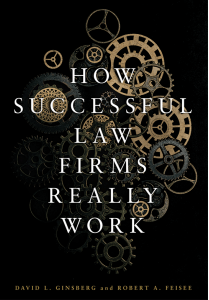
A book has come along that every lawyer who wishes to run a firm at its peak should not only have on his/her shelf but it should be well-thumbed, stained from coffee spills, its cover torn from constant use and sitting on the corner of their desk within arm’s reach for quick reference. I am speaking of “How Successful Law Firms Really Work” by David L. Ginsberg and Robert A. Feisee, published by the American Bar Association, Law Practice Division (“HSLFRW”)
A few books have been written that outline how to run a law firm. “How to Start and Build a Law Practice” by Jay Foonberg, now in its 6th edition, is perhaps the grand-daddy of them all. But Ginsberg and Feisee have taken all the collective wisdom of running a law practice and condensed it into 332 pages of sage advice. Is it the bee-all and end-all of law practice management books? No – but it is an excellent compilation and overview from a 50,000 foot perch, of the things that you should consider in keeping all the balls of legal management in the air. From here you would be well-versed into jumping into any number of books that address the specific needs of law firm management for greater in-depth knowledge.
Who is it aimed at? HSLFRW focuses on the operation of a small to medium sized law firm. It is designed to aid you in the step-by-step creation of your customized business plan by addressing the issues raised in each successive chapter. But it is more than that. It integrates and builds on each chapter by illuminating and then integrating concepts so that you come out of the process with an appreciation of how each pillar upholds the operation of a law firm works and with its companions.
The book starts with a chapter “How to Use This Book” which starts a reader off on the right foot in terms of how to make the most of what is set out in the subsequent chapters. The premise is that lawyers, no matter how brilliant, may lack basic business skills; and it seeks to help lawyers of all levels master and implement proven business strategies.
The book starts with questions of ownership and how to structure your team for maximum effect. Since all firms rise or fall by their people, human resources comes next. Moving on to training, it deals with issues of how to mold your staff and professionals into an efficient and productive team.
Managing your time is next, since you will have to be able to schedule management tasks as well as legal work into your daily schedule and keep all pots, so to speak, on a constant simmer.
With the fundamentals taken care of the book moves to clients: Who are your ideal clients and how do you market to them and then manage them. What does your legal product look like and how do you deliver services within a clearly defined scope of work. What is your role relative to your clients? Emphasizing that ethics underpins all that you do, a chapter on how to stay out of trouble is next.
Then we jump to more of the nitty-gritty of running a firm. Finances, budgeting and managing money is next; followed by technology and systems. Since firms run on procedures, there is a chapter on how to develop procedures customized for your firm.
Next is your office environment – how does your firm look and how does it operate? Which one are you – a business or a profession – and the implications of viewing your firm each way and what is your definition of success?
Strategic Planning – both short and long term – are included as are emergency planning and wellness: how to care for yourself.
Lastly the book concludes with the statement that you are now ready to run your own firm.
Whether for lawyers just starting out or for lawyers seeking to make partner or better yet, managing partner and desiring knowledge to take them to the next level, this book is a tour-de-force. At $85 for non-ABA members, $68 for ABA members (all USD) it is a steal. You can order it online from the ABA here.
This book is so good it makes me sad for the rest. I have but one regret with regards to it…I wish I had written it.
© 2022 David J. Bilinsky
(Concurrently published both on http://slaw.ca and this blog.)

Attribution 2.0 Generic (CC BY 2.0)
♫ Slip sliding away, slip sliding away
You know the nearer your destination, the more you’re slip sliding away… ♫
Lyrics, Music and Recorded by Paul Simon.
Something extraordinary is taking place in Ontario.
Family law lawyer Russell Alexander of Russell Alexander Collaborative Family Law Lawyers of Toronto and six other locations in Ontario, Canada has started an online petition on Change.org entitled: “Petition to Amend the Requirement For In Person Court Attendances.”
What are they petitioning for, you ask? Good question:
“We, the undersigned lawyers and paralegals who practise family law, hereby petition to the Attorney General of Ontario and to the Regional Senior Justices, that there shall be immediately put in place an overriding direction that all court attendances shall be presumptively virtual unless the parties and their counsel agree otherwise or if the court for good reason orders that a particular attendance shall be in person or hybrid (ie. some may attend virtually and some may attend in person).”
They state the issue as follows:
“The Issue
1. The Chief Justice and Regional Senior Justices at both Ontario court levels (Ontario Court of Justice and Ontario Superior Court of Justice) have issued Notices to the Profession that stipulate revised practices and standards to determine whether various types of court attendances shall be in person or virtual.
2. While the directions are not always consistent, there is a disturbing trend to emphasize the necessity for in person attendances as opposed to virtual attendances.”
Their petition has garnered 987 signatures as of the date of writing.
It seems that many people agree with Russell that the move to virtual hearings has has a number of benefits and increased access to justice. A selection of the reasons for signing the petition highlights many of them:
- Diego Cariaga writes: “Virtual hearings will continue to spare lawyers and clients of unnecessary stress and costs since for the vast majority of litigation matters it is not necessary or helpful to appear in-person (as COVID-19 has demonstrated)”
- Catherine Haber: “I am a practicing family lawyer with many years of experience.Virtual hearings are far more cost effficient for the public.There is little advantage to more costly in person hearings.”
- Tom Dart: “Virtual appearances lower costs to the client where they are represented. We need to look at the attendances from the client perspective. Where clients can’t access the internet, in person may be the only method. In person should be reserved for such cases. I agree with the other reasons submitted as well.”
- Rachelle Laforge: “Prior to the pandemic, the court system was operating with technology and resources from the 90s at best. The court system has not been at the forefront of innovation but was forced into it during the pandemic.One of the positive outcomes of the pandemic has been that the court system was catapulted into present times as far as technology goes.Innovation is about solving real problems. Virtual court hearings provide:- More access to justice (anyone with a phone can have access…no need to drive, fly, cab it to the court house and pay for parking)
– Costs have been significantly lowered for clients (no need to pay lawyers to drive to court houses and wait around on running lists)
– Ease of presentation of documents – which sometimes need to be voluminous in cases of coercive control (I had a case where I needed the judge to consider 117 messages from a dangerous self-rep where he wrote emails with Bold lettering, coloured text and coloured highlights)…
– Zoom hearings provide for opportunities to have break out rooms where parties and lawyers can quickly jump in and out of…cant do that quickly in person;
– French speaking parties can get counsel from anywhere in the province to attend without incurring prohibitive costs;
Clients in northern Ontario and other small communities are limited for representation due to conflicts…virtual proceedings provides for clients to be able to go outside their community for representation without the prohibitive costs of travel.”
Russell Alexander sets out the case for keeping virtual hearings as well:
The Case for Dropping the Presumption
This risk is remedied by the use of remote/virtual case conferences, because it actually improves access to justice and the expeditious resolution of disputes in several ways.
First, let’s revisit the odds of settlement: If only 10% of cases resolve at the first case conference, it may be a fair inference that these same 10% would also resolve their matters via a Zoom case conference. This renders the in-person experience to be arguably unnecessary.
Second, the costs savings of Zoom conferences are significant. No travel, no parking, no traffic. Court security line-ups, confrontations, and courthouse conflicts are all eliminated. There is no more sitting around for several hours or the entire day. Legal expenses each of the lawyers representing the parties are also significantly reduced.
Third, access to justice can only continue to improve. Clients can choose their preferred lawyer from anywhere in the province. Lawyers will be more readily available for the currently under-served northern and rural communities. Clients with legal aid certificates will be more likely to secure a lawyer.
Fourth, technology and the internet heighten accessibly to the justice system, as compared to having to travel several hours to the courthouse and back. Most people can access a case conference through Zoom – even if its with the assistance of a friend, family, or employer. Justice “hubs” can be set up at libraries or the SCJ’s family law information centres, or in empty SCJ courtrooms, for parties who cannot access the required technology. There are many other innovative ideas to address the issues of technology and connectivity.
Fifth, the court can implement procedures to screen and assist victims of domestic violence who are involved in family court matters. This will also help to regulate and prevent litigants who perpetrate domestic violence from using the litigation process to exact further harm, harassment, and psychological damage on their ex-partners.
Sixth, the toll on peoples’ mental health of going to court in-person, confronting their ex-partner, dealing with conflict and potential health risks lingering from the pandemic can be remedied by via Zoom case conferences. Parties can conduct their hearing from the safety and privacy of their own homes.
Seventh, the rise of self-represented litigants is a problem that plagues the Family Court system. Remote hearings by Zoom have stymied this, somewhat. It has helped those who would otherwise have to resort to self-representation, by freeing up more Family lawyers. Those lawyers could keep practicing and serving clients remotely, despite health concerns, daycare, and other needs. For example, clients in rural and northern communities were retaining lawyers with legal aid certificates from the GTA and other larger centres.
If in-person hearings return to the old norm, many Family lawyers will simply no longer practice family law. That is the benefit of a law degree: We can choose to practice in any area of law that does not require in-person attendances. (And the list is endless: Wills, estates, real estate, corporate, tax, business and so on). An exodus of Family lawyers will result in fewer lawyers accepting legal aid certificates, and increased time and expense associated with in-person hearings.
All of this will result in alarming spikes in the number of self-represented litigants.
Plus, self-represented litigants often require greater time and resources to adjudicate their matters. They may be unable to focus on the legal issues. They may not understand the law, fail to comply with the Family Law Rules, and be unaware that there are rules of evidence and court-issued practice directions that they need to follow. They can sometimes be vexatious. All of this often results in mental and emotional strain on the judiciary, and can lead to burnout, inertia and the justice system’s slide to entropy.
To emphasize the point with the court, Russell and his crew are holding a virtual press conference May 10, 2022:
Panel of Ontario Family Lawyers to Hold Virtual Press Conference Calling for Courts to Continue Remote Hearings
Lawyers say so-called ‘Zoom divorces’ save clients’ time and money and should continue
Their press release states as follows:
WHAT:
A panel of veteran Ontario family lawyers will host a virtual press conference to discuss the recent Notice to the Profession from the Ontario Superior Court of Justice ordering the return to in-person court attendance. The thrust of these pronouncements is that many court hearings will revert to in-person from virtual, which will mean less access to justice and higher legal costs for many clients.
The panel recently started a petition that has received over 900 family lawyer signatures thus far in attempt to reverse the decision.
The media is invited to attend the press conference to learn more about what this means for family lawyers in Ontario and those seeking divorce. There will be an opportunity to ask questions.
Registration is required to attend via Zoom by completing the sign-up form below.
WHERE:
On Zoom: https://us02web.zoom.us/webinar/register/WN_zw6hCGIlT36zQ-7vGpAPBQ
WHEN:
Tuesday, May 10, 10 a.m. ET
WHO:
The Ad Hoc Committee for the Preservation of Access to Justice consists of:
- Russell Alexander-Founder and Senior Partner at Russell Alexander Collaborative Family Lawyers, practicing for 24 years (Called to the Ontario Bar in 1998)
- Gene C. Colman-Founder of Gene C. Colman Family Law Centre, practicing for 43 years (Called to the Ontario Bar in 1979)
- Natalie Derbyshire-Partner at Stanchieri Family Law Professional Corporation, practicing for 16 years (Called to the Ontario Bar in 2006)
- Brian Galbraith-Owner and Founder of Galbraith Family Law Professional Corporation, practicing for 32 years (since 1990)
- LisaGelman-Founder of Gelmanand Associates, practicing for 27 years (Called to the Ontario Bar in 1995)
Gary Joseph-Managing Partner and Chair at MacDonald & Partners LLP, practicing for 44 years (Called to the Ontario Bar in 1978) - Karen Kotansky-Managing Partner at Gelman and Associates, practicing for 28 years (Called to the Ontario Bar in 1994)
- Nafisa Nazarali-Managing Associate Lawyer at Russell Alexander Collaborative Family Lawyers, practicing for 12 years (Called to the Ontario Bar in 2010)
- Ram Shankar-Founder of Shankar Law Office, practicing for 28 years (Called to the Bar in India in 1994. Called to the Ontario Bar in 2014)
I will be watching the press conference with interest this coming Tuesday. The move to virtual court hearings, in my opinion, was a positive one and should be continued for all the reasons noted above and more. It remains to be seen if this novel approach to achieving change in the profession will ultimately be successful. But it is certainly aimed at keeping the changes that have occurred in the courts from slip-sliding away…
© 2022 David J. Bilinsky
(Concurrently published both on slaw.ca and this blog.)

♫ So let your trumpets blow
Round the walls of Jericho
Let your mighty voices sound
Until the walls come tumbling down…♫
– Music, Lyrics and recorded by: John Fullbright
Back in December 2015 I wrote a column on Uber and the Practice of Law for my regular column PracticeTalk for the Canadian Bar Association. At that time, Uber, Lyft and other ride-sharing services had not yet come to BC and there was a lot of talk about what Uber’s entrance into the market might mean for passengers, for Uber and other ride-sharing drivers, for taxi drivers and the taxi industry, for safety of such rides and the like. Well I thought we could take a step back and see the effect that Uber and Lyft and other such services have had and reflect on the lessons that disruption can have for the legal industry, particularly what lies in the public interest.
The original column is as follows:
What do Uber, the taxi-replacement service, and the practice of law have in common? This was recently posted by a friend in Facebook:
Transportation in the new digital economy; Vancouver is Uber-free, but I tried it in Sacramento. Download the app and fill in basic information (e.g. credit card) in advance. When ready, the app confirms pickup location, takes your destination address, estimates the fare and wait time for pickup, and (if you approve) calls a driver. Best feature: when you arrive, just step out of the vehicle and go; payment is automatically charged to your card. No fiddling with charge cards, signatures, etc. A very positive experience – I will definitely use the service again.
Uber is a disruptive technology/service that is changing the face of ground transportation in cities where it has taken hold. Does Uber hold any lessons for the practice of law? To start, let’s look at the commonalities of taxis and the practice of law. Each:
- Has a monopoly that excludes competitors.
- Calculates the fare at the end of the ride.
- Is highly regulated.
- Extols the virtues of their regulations as protecting the public’s interest.
- Claims that their exclusivity is necessary to ensure the proper operation of the market for their services.
What are the differences between taxis/the practice of law and Uber?
- Uber app estimates your fare in advance.
- Uber app shows the route you will be taking.
- Uber collects feedback from riders and uses this to ensure quality control.
Uber claims that they offer predictability, lower prices for a similar product, greater convenience, reliability and quality of service by focusing on the client experience.
What evidence is there in support of Uber’s arguments? Well, the Competition Bureau says ride-sharing services are good for consumers, calling them innovative and likely to create lower prices and better service (http://bit.ly/1Nj0Xcg).
What happens when Uber comes into a city?
- The condition of taxis suddenly improve.
- Uber itself begins to face lower-cost competitors.
Certainly there are many detractors and negative aspects of the Uber model. However, Uber is an example of the emerging platform business model, in which competitors can enter a marketplace for virtually zero marginal cost against entrenched competitors.
Can this happen to lawyers? Clients don’t necessarily want a lawyer; they want a solution to their legal problem. Does it matter to them if a lawyer or a non-lawyer provides the service?
I have often said that the hardest law to repeal is the law of economics. In this case, Uber and similar services have the law of economics on their side.
—
Investopedia, in a column entitled: “Uber Advantages and Disadvantages” by Mohamed S. Jalloh, a financial analyst at Broadridge and an Investopedia contributor, looked at what happened when a disruptive technology and business model was introduced into a service industry that had been, up to that time, granted a monopoly on providing bespoke ride services. Did the forecast negative impacts of introducing ride sharing materialize?
Mohamed lists the key takeaways:
- Ride-sharing services like Uber have disrupted the taxi and limo industry,
- Uber has become a prime example of the gig economy at work.
- Uber’s advantages include door-to-door convenience, safety, and reliable quality.
- Uber’s disadvantages include its surge pricing and the negative effects of replacing steady jobs with gig work.
There is no question that the disruption has had deep implications. Mohamed states:
Bright-yellow taxicabs once dominated the streets of Manhattan. By 2020, there were four times as many ride-sharing vehicles on the streets as taxis. Those vehicles were summoned by apps offered not only by Uber and Lyft but by Via, Juno, and Gett.
Riders have to register with a particular service and their credit cards lodged, resulting in the loss of autonomy for their actions. In this way, both problematic riders and drivers are weeded out of the system. Both drivers and passengers are encouraged to rank each other, resulting in low rated drivers driven out of the system and low rated passengers banned.
OK you say – there is a vast gulf between providing legal services and providing a ride in a car. I get it. But the big question is, what implications does a disruptive model such as Uber and Lyft have for the legal profession? Both taxi drivers and lawyers claim they require a monopoly over their services to ‘protect the public interest’. Did this argument stand up when looking at the Uber experience?
The answer is a mixed bag. No question the availability of options for seeking transportation services expanded. However, the cost of said services were not necessarily reduced, given ‘surge pricing’ which allows Uber to increase fares at high-travel times. Passengers are provided certainty (they knew the cost of the ride before they step into the car), the cleanliness of the rides were stated to have gone up and the speed of the service over a cab increased (since the credit card is on file, the passenger just has to step out of the vehicle at their destination – no fiddling with credit cards and / or cash). However, since Uber and Lyft in Vancouver were restricted in the areas in which they could operate, the taxi industry still retained its monopoly outside of these areas.
But in terms of the big question of whether maintaining a monopoly was necessary to protect the public interest, there is no question that the answer was resoundingly, no. The public interest was not mortally wounded when the taxi monopoly disappeared. The taxi industry, however, definitely took a hit. And we all know that the interests of the taxi industry do not necessarily align up with the public interest.
This has lessons for lawyers. Consider that if we do nothing, as lawyers we may let our mighty voices sound until the walls come tumbling down….
© 2022 David J. Bilinsky

♫I shall be telling this with a sigh
Somewhere ages and ages hence:
Two roads diverged in a wood, and I –
I took the one less traveled by
And that has made all the difference…♫
– Lyrics by Robert Frost, music by Randall Thompson
Law is presently at a cross-road. On one hand, I can see a brilliant legal future that resembles Tomorrowland at Disneyland – filled with sparkling new technologies such as AI, Blockchain and innovative legal search tools that help lawyers meet and exceed client’s needs. On the other hand, the future could be a place where lawyers have been largely marginalized, the right to representation is bypassed in the name of expedience, the rule of law is undermined by politicians and the justice system ridiculed due to its cost and failure to render justice in any meaningful way to the majority of the public.
The new technological tools, while welcome and exciting, do little to change the justice system from a structural standpoint. They are, I fear, the equivalent of a new technological way to flog a dead horse. Without redoing the justice system to make it simple, speedy and affordable, it may simply collapse due to its own burdensome complexity, delay and cost, taking lawyers and their future, with it.
Which road shall we choose? The future is in our hands.
Justice under attack
The signs of a darker future are certainly apparent, and voices have been raised calling for greater attention. No less than Madam Justice Beverley McLachlin, the former Chief Justice of Canada has said: “The principles and institutions underpinning the rule of law are under increasing attack, even in Western democracies.” If the rule of law is undermined, then so is the future of justice and lawyers. As lawyers, we need to be seen to work with other stakeholders to find ways to strengthen the rule of law and be powerful and reasoned voices to advocate when it is under attack.
Structural issues
Law is complex. Along with the sheer number of laws, regulations, bylaws and such that apply to everyday life, there is the issue that each jurisdiction has its own laws, in some cases for a relatively small number of people. The BC Law Institute, for example, in its constitution, has as one of its goals to: “promote the clarification and simplification of the law and its adaptation to modern social needs.” Much more can be done to make laws consistent in application and simpler across all types of borders and within jurisdictions as well.
Emerging Issues
Technology, along with other factors, is causing changes in society at a rapid pace. The law has largely lagged behind in providing protections, resulting in corporations and other entities asserting greater and greater powers over individuals who largely are left without effective remedies. For example, The Office of the Privacy Commissioner of Canada recently stated: “Commissioner Daniel Therrien warns privacy concerns are reaching crisis levels and is calling on the federal government to take immediate action by giving his office new powers to more effectively hold organizations to account.”
“Unfortunately, progress from government has been slow to non-existent,” says Commissioner Therrien, whose annual report to Parliament was tabled. “Not only are the privacy rights of Canadians at stake, so too is our democracy and other fundamental values.”
Law loses its value if it fails to grapple with emerging legal issues and provide protections for those in society. This challenge will only continue to grow over time.
Regulatory issues
The rules and operation surrounding civil procedure, criminal justice, mediation and arbitration, administrative boards and tribunals as well as the regulatory environment of lawyers is reflective of the complex legal environment within which lawyers operate. Working with judges and others to adopt processes to regularize laws and streamline and simplify the operation and regulation of justice and regulatory systems are steps in the right direction.
Law Schools
What kind of challenges do law schools train law students to meet? According to the Harvard Law Review in an article entitled, Law Schools, Leadership, and Change by Susan Sturm: “There is a growing sense that law school is preparing people for a set of professional roles that do not match the demands or needs of a changing society. Research has documented an overemphasis on a narrow conception of technical mastery, and an underemphasis on the imperative to connect education with professional leadership for challenging times.”
Sturm continues later in the article: “Issues of justice, problem-solving ethics, change strategies, and inequality also tend to be marginalized within the mainstream curriculum, which encourages students to develop a radically skeptical attitude toward even the possibility of engaging in normative argument or achieving change.”
If we are going to implement the kind of changes that Sturm is advocating, we need to start by training lawyers to meet the challenges of the future head on. We need to emphasize how lawyers can be change agents in defining the future relationship of law to society.
Criminal Justice
According to the Canadian Department of Justice: “The cost of the criminal justice system is high. A Justice Canada report estimated that the total cost of Criminal Code offences to the justice system and society in 2008 was about $100 billion, including tangible costs of $31 billion. Roughly half of these tangible costs were criminal justice system costs. Police account for the majority of expenditures (57%), followed by corrections (32%), courts (5%), prosecutions (4%) and legal aid (3%).” Lawyers can be meaningful players in discussions on how to implement change to reduce the delay, cost and operation of the criminal justice system so that justice can be seen to be done.
Family Law
There is perhaps no area of the law that needs systemic change as family law. M. Jerry McHale, QC stated it well: “Last, but not least, closing the implementation gap – the discrepancy between what we know and what we actually do in family law – is also a matter of changing the underlying adversarial culture of the family justice system to make it less contentious and more truly collaborative. Academics, practitioners and critics have been writing about this change for nearly 40 years! Admittedly, it is no simple task – adversarial attitudes are deeply woven into the history, fabric and methods of the justice system. But the exorbitant fiscal and emotional costs of the long-dominant litigation model can no longer be supported. The system is unworkable, and it is losing credibility. As such, it falls squarely and immediately to the law schools and to the judges, lawyers, legislators, administrators, and service providers who make up the family justice system to come to grips with the problem of adversarial family law culture change for once and for all.”
(originally published in PracticeTalk in the Canadian Bar Association’s BarTalk magazine:
https://www.cbabc.org/BarTalk/Articles/2019/August/Columns/The-Future-of-Law)
© 2022 David J. Bilinsky

♫ Further on up the road baby,
things gonna change… ♫
— Music and lyrics by J.L. Hooker, C. Thompson, C. Santana; recorded by Santana.
The State Bar of California’s Committee on Professional Responsibility and Conduct has just issued Formal Opinion No 16-0002. It looked at a lawyer’s ethical obligations with respect to unauthorized access by third persons to electronically stored client confidential information in the lawyer’s possession. In some ways it parallels what is set forth in s. 10-4 Security of Records of the Rules of the Law Society. What is illustrative is that “the Committee adopted an approach that posed questions lawyers should consider in order to comply with the duties of competency and confidentiality. In light of ever-changing technology, the Committee concludes that an on-going engagement with that evolving technology, in the form of security issues to consider and re-consider, was preferable to a “bright line” or “categorical approach.”
The Committee looked at four scenarios: An attorney’s laptop is stolen; an attorney’s smartphone is left in a restaurant overnight; a firm is infected by Ransomware and a lawyer’s laptop was accessed while the lawyer was using an unsecured public Wi-Fi network. Hypothetically the Committee looked at the factors to consider in each scenario.
The requirement to make reasonable efforts to protect client information from unauthorized disclosure or destruction was affirmed. California went further, however, and stated that: “Given the obligation to preserve client confidences, secrets and propriety information, it is appropriate to assume that reasonable clients would want to be notified if any of that information was acquired or reasonably suspected of being acquired by unauthorized persons.” In BC, we have an obligation to notify the Executive Director of the Law Society but the Rules and Code are silent on the duty to notify a client if the firm lost control or custody of any of the lawyer’s records [10-4 (a)] or if anyone had improperly accessed or copied any records [10-4 (b)].
California also affirmed the American Bar Association formal opinion of 18-483 that holds: “lawyers with managerial authority within a law firm must make a reasonable effort to establish internal policies and procedures designed to protect confidential client information from the risk of inadvertent disclosure and data breaches as the result of technology use, which includes monitoring the use of technology and office resources connected to the Internet and external data sources.” They also held that a law firm should: “consider preparing a data breach response plan so that all stakeholders know how to respond when a breach occurs.”
This opinion, I believe, foreshadows what could be eventually adopted in other jurisdictions. Prudent firms may wish to examine the formal opinion with a view to revamping their policies and procedures to reflect this evolving thinking because further up the road, I believe, the thinking is gonna change.
As a First Step Towards Greater Security
Check if you have adequate insurance to protect yourself against various losses, including data breaches, cyber-losses, cyber-extortion and social engineering (phishing) fraud scams.
The Law Society
has a good breakdown of the coverages that are available that the Law Society insurance does not cover.
The Sedona Conference Canada
has prepared a commentary on privacy and information security for legal service providers — Principles and Guidelines (Aug 2020) that is well worth reviewing.
The Sedona Conference
has also prepared a Commentary on a Reasonable Security Test (Sept 2020). This Commentary begins with a brief summary of the importance of having a test, the reasoning behind a cost/benefit approach for the test, and what issues the test does not address. Part I sets out the proposed test and the explanation of how it is applied. Part II provides review and analysis of existing resources that offer guidance on how “reasonable security” has been defined and applied to date and explains how they bear upon the test.
Create a data breach plan
before you are hit with a breach that will allow you to deal quickly and decisively with any possible data breach. Lawyers Mutual of North Carolina has published a Data Breach Incident Response Plan Toolkit by Tom Widman, founder, president and CEO of Identity Fraud, Inc.
Inside your data breach plan
Sharon Nelson, David Ries, and John Simek have written “Be Prepared — Planning for When Your Law Firm Suffers a Data Breach.” This article is a nice compact review of the issues to consider placing inside your data breach plan.
Protect personal information and data breaches
The Office of the Privacy Commissioner of Canada and The Office of the Information and Privacy Commissioner of Alberta has published “Security Personal Information — A Self-Assessment Tool for Public Bodies and Organizations.” This comprehensive tool is an incredible resource for any organization seeking to examine their systems and procedures to protect personal information and data breaches.
DLA Piper
has summarized Canadian privacy statutory data breach obligations.
The Canadian Bar Association
has published an article in 2015 written by Jeffrey Kaufman entitled, “Law Firm Privacy Compliance in 10 Steps.”
(c) 2022 David J. Bilinsky.
(originally published in PracticeTalk and TechTips, in the Canadian Bar Association’s BarTalk magazine:
https://www.cbabc.org/BarTalk/Articles/2020/December/Columns/Evolving-Views-on-How-to-View-Security
https://www.cbabc.org/BarTalk/Articles/2020/December/Columns/As-a-First-Step)

♫ Oh, then won’t you embrace me?… ♫
— Music and lyrics by Greg Laswell
What does it mean for law to move into digital transformation? Let’s take a step back and get a bit of perspective.
At the beginning of time, law firms and courts kept all records on paper. The first step along this transformative path was to convert to electronic records. “Paving the cowpaths” meant that all records were now kept in electronic folder systems that were the electronic version of the file folder — or in other words, “digitalized.” All files were still kept the same and searched by brute force. Similar to paper, all storage and organizational systems were analogous, albeit on a digital platform. This is only slightly transformative since the same ways of thinking were used to handle digital documents as they did with paper.
To take the next step toward transformation, new ways of doing things must be chosen. Moving to a digital filing system allows for digital searches across the whole database; and it allows for new ways of working as all files can be shared and accessed from home or a remote office. Practice management software can integrate with the filing and accounting systems, resulting in lawyers working from a digital desktop. In the court situation, case management software can now be used that integrates scheduling with court files, HR systems and more. It is the bringing together of multiple systems in one package that starts to open up new ways of thinking and with it, new processes.
Salesforce.com’s publication, “State of the Connected Customer,” states that “technology has significantly changed their expectations of how companies should interact with them.” For example, portals: secure websites, allow clients to gain access to all communications and documents on their file 24/7 and avoid insecure ways of communicating such as email. Furthermore, they can respond and leave instructions without going through voicemail or email jail.
The next step will be in applying Artificial Intelligence (“AI”) and Digital Analytics (“DA”) to law. AI already has revolutionized legal research, legal contract review, as well as litigation case analysis. DA has the promise of providing insights into new services that can be offered to clients by analyzing firm wide data based on client profiles.
Lastly, we have the transformation of the law via technology. Smart contracts on the Blockchain are an entirely different beast from a traditional contract. “A smart contract is a self-executing contract with the terms of the agreement between buyer and seller being directly written into lines of code. The code and the agreements contained therein exist across a distributed, decentralized Blockchain network. The code controls the execution, and transactions are trackable and irreversible.
Smart contracts permit trusted transactions and agreements to be carried out among disparate, anonymous parties without the need for a central authority, legal system, or external enforcement mechanism.” (per Investopedia)
Disputes over smart contracts can take place via Online Dispute Resolution (“ODR”) built into the Blockchain using virtual juries. The next step with ODR is to allow the software to help resolve disputes as the deciding party.
The Blockchain can be used to replace traditional ways of doing things. 20 Real-Life Uses for the Blockchain lists such uses as enforcing copyright; replacing land, automobile and other title transfer systems, medical record keeping, wills, equity trading, tracking prescriptions and many others. With increased use of the Blockchain will come increased use of ODR and less reliance on traditional court systems. This is the transformative power of technology.
What is the future use of technology in law? Pega.com states: “Leaders are less concerned about using technology to increase profits, with 46% citing cost savings and 43% citing revenue generation as changes they are trying to achieve. Instead, 65% of leaders see it as an avenue to achieving higher quality work. Fifty percent of the leaders surveyed also believe technology will create more reliable work.”
In order for law firms and justice systems to move forward, I believe it will be essential for organizations to view technology as a way to change not just the way things are done but HOW you can do things differently and WHY. Digital transformation is about new ways of thinking, changing things and moving to the future. I can just hear technology saying to lawyers and judges: “Oh won’t you embrace me?”
Now – how do you further your firm down the digital transformation path?
Cybersecurity
COVID has only increased our working from home with distributed data sets on multiple devices and entry points into the office network. One way to harden your system is to put all your data in a secure cloud service that stores your data in a fully encrypted manner, where only you have the decryption key (a “Zero Knowledge” service). Cloudwards.net has rated the five best zero-knowledge cloud storage services — with Canada’s sync.com coming up on top.
Advantages of Sync
Sync is the strongest encryption possible, it demonstrates to your clients that security is important to you. Sync keeps track of all document versions and changes, you can share and collaborate just like you would with Dropbox, but securely, they state that sync.com meets global data privacy compliance (USA-HIPAA, EU, UK, CAN-PIPEDA) and your data remains in Canada.
Automating and Integrating Systems
Technology can automate the business side of the practice. By integrating billing, time keeping, general and trust accounting, calendaring, conflict checking, document automation, email and file integration, case management, and file management, you will set the stage for the next round of automation such as data analytics, AI, and process redesign for effectiveness and efficiency.
People
You can install the latest, first-rate tech systems but ultimately it may all be for naught unless you can implement change strategies that lead people to adopt the new systems. Part of the magic of digital transformation is the change in thinking that occurs when people use and think about how the new systems rework business processes. Leadership is the magic elixir. Explain why your firm is adopting these new systems. Outline the expected benefits, for not only the organization but also for staff. Be an early adopter and recruit other early adopters. Communicate wins. Acknowledge setbacks and handle criticism positively and early. Keep your eye on the long-term goal(s) and help others do the same.
(originally published in PracticeTalk and TechTips, in the Canadian Bar Association’s BarTalk magazine:
https://www.cbabc.org/BarTalk/Articles/2021/February/Columns/Digital-Transformation
https://www.cbabc.org/BarTalk/Articles/2021/February/Columns/How-can-you-further-your-firm-down-the-digital-tra)

Bald Eagle Haida Gawaii
“I’ll spread my wings and learn how to fly. I’ll do what it takes ’til I touch the sky. And I’ll make a wish, take a chance, make a change and breakaway.”
Lyrics and Music by Matthew Gerrard, Bridget Benenate and Avril Lavigne, recorded by Kelly Clarkson.
I am proud to announce that Thoughtful Legal Management is now open for business.
David J. Bilinsky, Barrister & Solicitor, is pleased to provide strategic legal practice management services and innovative technology and law firm finance advisory services for my clients. Building on 17 years in private practice, 20 years of experience at a Practice Management Advisor and ethics lawyer for the Law Society of BC, on top on an MBA focused on the application of legal technology to the practice of law, I have opened the doors to providing legal business, technology and ethics advisory services to lawyers.
Decades of writing and presenting papers and articles, organizing and speaking at legal technology conferences, advising and assisting lawyers who have been wrestling with the complex areas of legal technology and practice management has provided unique and practical insights into how law firms must innovate in today’s changing environment.
My mission in life is to empower lawyers to anticipate the changes, realize the opportunities, face the challenges and embrace the expanding possibilities of the application of practice management concepts to the practice of law in innovative ways that provide service excellence.
And…I am here to assist those lawyers who wish to break away and learn how to fly.

♫ Sex crime, sex crime
Nineteen eighty four
Nineteen eighty four… ♫
— Music & Lyrics by A. Lennox, D. A. Stewart, recorded by The Eurythmics.
What will criminal law look like in 2041? There is a host of technologies being developed that are reshaping the entire criminal law playing field. From artificial intelligence (“AI”) to developments in surveillance, biometrics, DNA analysis, cellular triangulation, evidence analysis, voice recognition systems, advanced camera and image analysis and enhancement, Internet search technologies, the growth of the “dark web,” facial and voice recognition software, robotics, “shot spotter” technology, licence plate recognition, and many others that seem to walk out from CSI TV episodes and into our lives.
Other emerging projects seek to use real time computer and pattern analysis to predict and prevent crime. Using a network of cameras and technologies, these projects seek to analyze and assess suspicious activity and predict emergent criminal behaviour, alerting authorities far faster than traditional methods.
Still other projects seek to use AI to predict elder victims of financial and physical abuse, allowing authorities to intervene to prevent or stop such exploitation.
Robots and drones can be utilized to inform police regarding potentially dangerous situations and assist with public safety without putting the public and/or police in harm’s way.
DNA analysis is growing increasingly sophisticated; enhanced by the growth in forensic sciences.
On the court side, there is the increased growth and development of court management computer systems worldwide and the increased realization of the benefits that such systems bring to the administration of criminal justice. There is the work of such academic and non-profit organizations worldwide such as HiiL (The Hague Institute for Innovation of Law) that combine a data and research-based approach and best practices to promote people-based access to justice solutions.
Increasingly, courts world-wide are slowly gaining access to technology in order to present the range of high-tech evidence being collected by police and prosecutors working together. The Air India case in BC was a good example of a high-tech court designed around the needs of the Crown to present the volumes of video and documentary evidence that were amassed during the case efficiently and effectively.
Then there is the growth of trial preparation and trial presentation software along with case management systems available to defence lawyers to assist in the handling and presentation of their cases. From simple PowerPoint files to sophisticated trial presentation software on iPads, tablets, laptops, and other devices, to transcript, audio and video analysis tools, and others, criminal defence lawyers can present, highlight, call-out, compare, present, and emphasize evidence in ways never before possible that serve their client’s needs.
Technology is a tool. In the context of criminal law, it also raises ethical issues such as the due protection of privacy and the protection of constitutional rights. It raises issues of inherent bias built into algorithms and data analysis. There is the issue of transparency of such systems, as many will be proprietary and not open to analysis. Neural networks, quantum computing and other such emerging computing technologies are not well understood and, as such, explaining how they arrive at their conclusions may not even be possible. There is the danger of profiling and unfairly targeting individuals and/or groups. There is the danger of using systems to determine recidivism, particularly if someone is assessed at low risk and then goes on to commit violent acts.
Nineteen Eighty-Four gave us one insight into how technology, applied for the wrong purposes, could be used to control a whole world. Criminal lawyers stand at the cross-roads, guarding against such excesses and protecting liberties. But to do so, they must understand the emerging high-tech landscape in order to exercise their persuasive powers against
such misuses.
So what technologies are out there for a criminal lawyer to run their practices?
Trial Director is one of the leading trial presentation software packages available for trial lawyers.
It allows you to load in all transcripts and video evidence and organize your evidence into trial notebooks.
You can attach, view, and link exhibits and create a witness binder and exhibit lists.
Evidence can be presented by video clip and documents sections can be called out, zoomed and highlighted. Document sections can be placed side by side for comparisons, overlaid, and section redacted if necessary.
You can share document subsets securely with expert witnesses and consultants.
Trial teams can share the same case notebook with team members who work from a central trial notebooks.
TrialPad, TranscriptPad, DocReviewPad, ExhibitPad is a suite of litigation tools designed for use on an iPad. This suite of applications takes a litigator through the whole process of preparing for trial, including: document review, organizing documents for trial, loading exhibits with notes, reviewing transcripts, and then organizing it all into a trial notebook for presentation in court with dynamic exhibits, call-outs, and more.
CosmoLex is a fully-integrated general and trust accounting system with practice management. This one-stop solution provides you with all the systems to be compliant with both general accounting (balance sheet, income statement, accounts payable and receivable, and all other required accounting reports) as well as trust accounting (compliant with all Law Society trust accounting requirements) plus practice management (client lists, file lists, conflict checks, limitation date reminders, calendaring and bring-forward reminders, document management, email management, etc.) that a criminal lawyer needs to run both the business as well as the practice sides of their practices.
Microsoft Home and Business or Microsoft Office 365 provides you with desktop or cloud-based versions of Word, Excel, PowerPoint, Outlook, and more to perform all the email, communication, word processing, and other functions you will need as a practising lawyer. Alternatively, you can use the Apple suite that comes installed on a Mac (Pages, Numbers, Presentations, Mail) to accomplish the same functions in a Mac environment.
sync.com provides you with secure file backup, storage, and sharing based in Canada. This is a secure alternative to Dropbox that protects your practice against Ransomwear.
ScanSnap iX1500 is the scanning workhorse of the legal field. With full duplex scanning via its sheet feeder, the ScanSnap assists in taking paper documents and converting them into fully text-searchable documents that can take your practice paperless.
Smartphone There are many excellent smartphones like the iPhone 13, Google Pixel 6, or Samsung Galaxy A32, depending on whether you prefer the iOS or Android environment. More important that the phone, I believe, is your choice of carrier and data plan. A litigator is on the road a lot: choose a carrier with great service in the area(s) where you will be operating most often to avoid dropped calls and poor reception.
(originally published in PracticeTalk and TechTips, in the Canadian Bar Association’s BarTalk magazine: https://www.cbabc.org/BarTalk/Articles/2021/December/Columns/Criminal-Law-and-Technology and https://www.cbabc.org/BarTalk/Articles/2021/December/Columns/So-what-technologies-are-out-there-for-a-criminal)